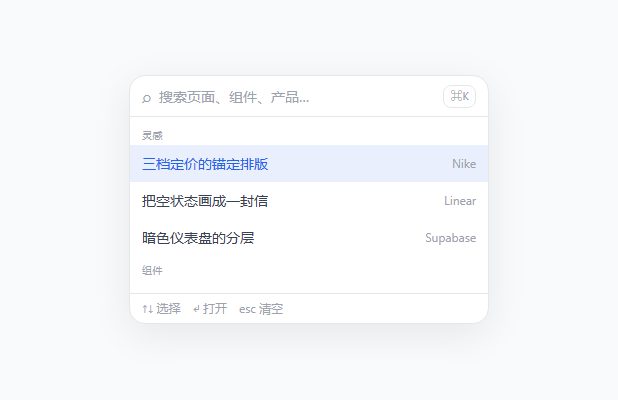
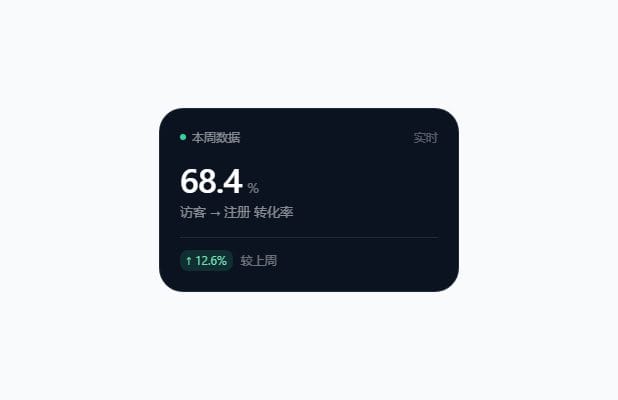
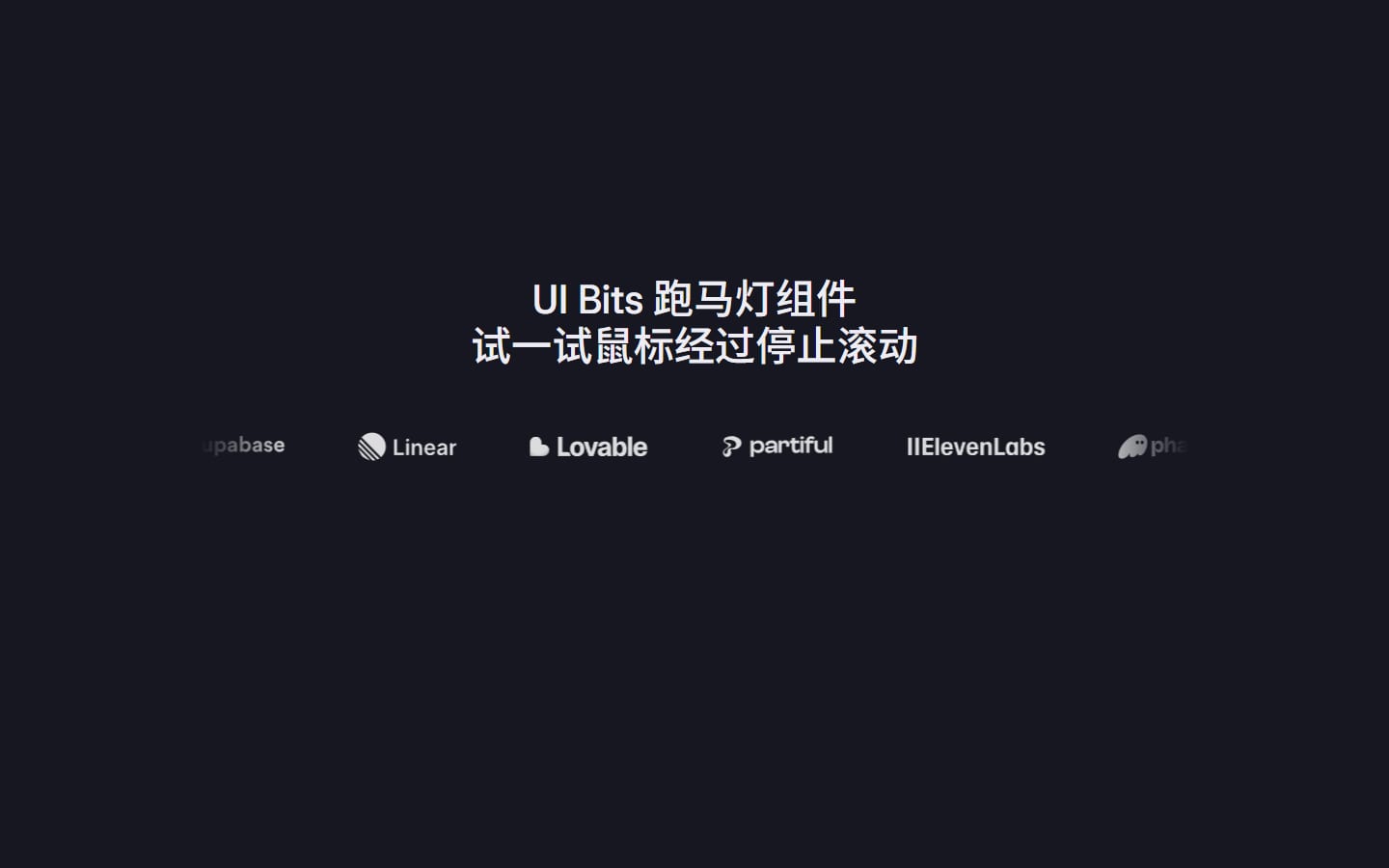
首屏镜头推进
布局 · 区块 · 已复制 0 次
React
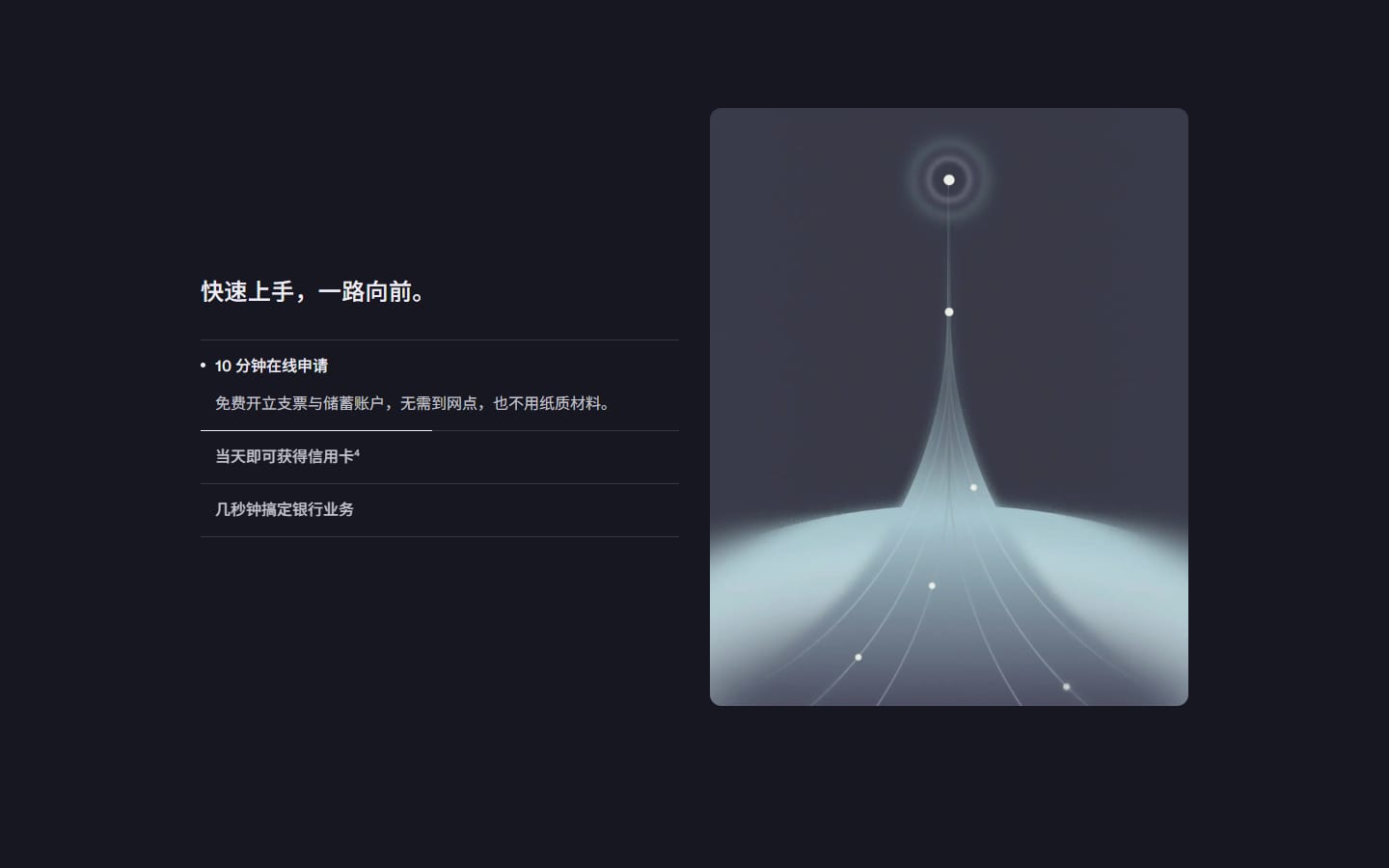
滚动把镜头推近到笔记本屏幕,媒体框随即收缩、右移,落成第二屏右侧的卡片,左侧手风琴同时入场——两屏之间没有一次硬切。 镜头推进用的是 49 帧预渲染序列,不是 <video>:视频一旦 play() 被拒(预览面板、无自动播放权限、reduce-motion),解码器不出帧,currentTime 怎么改都是静止的,用户看到的就是「滚动没反应」。帧序列不依赖解码器,任何环境都滚得动。 时间轴对四个端点开放(推进结束点 / 形变起止 / 接管完成),内部自动夹住顺序,乱填也不会倒退或跳帧。演示素材(图片 / 视频 / logo / 字体)已全部上传到本站,代码里用的是绝对地址,粘进项目就能显示;换成自己的素材改 `ASSET` 一行即可。
调参预览改动实时生效,代码一起变
演示页加载中…
演示在 iframe 里独立运行(1280×560 虚拟视口,缩放 50%)。右侧时间轴之类的交互要在框内滚动才看得到。
银行,本该与众不同
10 分钟在线开户,体验前所未有的银行服务^1。
请输入邮箱
立即开户
1 行 · 一行一项
每一笔资金往来,|都在一处搞定。
4 行 · 一行一项
关
关
320
120600
4200
150012000
0.5
0.20.8
0.5
0.20.85
0.72
0.30.95
0.74
0.41
复制走的就是这段 —— 只列你改过的参数,其余用组件默认值
当前为默认值// 你在 uibits.cn 调出来的这一版。只列改过的参数,其余用组件默认值。
// 素材已经是本站绝对地址,贴进项目就能显示;换成自己的素材时改 src 即可。
// 完整实现见详情页「源码」。
<HeroScene />源码
/* HeroScene —— 来自 uibits.cn 组件库,复制即用。
 *
 * 依赖:react、next(只有图文联动的「了解更多 →」用到 next/link)
 * 素材:全部在 uibits.cn 上,代码里用的是绝对地址,贴进项目就能显示。
 *       换成自己的素材时,改顶部 ASSET 常量即可(或者逐处替换 src)。
 */

'use client';

import { useEffect, useMemo, useRef, useState, type CSSProperties } from 'react';
/* ---- 以下两块原本在 lib/playground.ts 与 rich.tsx,为了"单文件可直接用"内联在此 ---- */
const HERO_DEFAULTS = {
  title: '银行,本该与众不同',
  sub: '10 分钟在线开户,体验前所未有的银行服务^1。',
  placeholder: '请输入邮箱',
  cta: '立即开户',
  disclaimer:
    'Mercury 是一家金融科技公司,并非 FDIC 承保银行。银行服务由 Choice Financial Group 和 Column N.A.(均为 FDIC 成员)提供。',
  secondTitle: '每一笔资金往来,|都在一处搞定。',
  /* 每行 `标题 | 正文` */
  features: [
    '企业银行及更多服务 | 免费开立支票与储蓄账户,无最低余额要求;通过 Mercury Treasury 获得最高 4.21% 的收益率^2,还可申请贷款^3助力业务增长。',
    '银行卡与费用管理 | 信用卡消费享 1.5% 返现,并通过银行卡、报销、额度与审批,在一个地方管好团队的每一笔支出。',
    '支付与发票 | 美元付款零手续费,可向全球汇款、自动缴付账单,免费开具发票,款项直接到账 Mercury 账户。',
    '财务对账 | 与 QuickBooks、Xero 或 NetSuite 同步,借助 AI 自动化省下大量时间,更快完成月结。',
  ].join('\n'),
  showDemoLink: false,
  /* 模板首屏没有这条竖进度条 —— 它是组件包加的可选件,所以默认关,
     不传参时渲染出来就是模板原样。要就打开。 */
  showProgress: false,
  sceneVh: 320,
  autoRotateMs: 4200,
  scrubEnd: 0.5,
  morphStart: 0.5,
  morphEnd: 0.72,
  handoffEnd: 0.74,
};

import type { ReactNode } from 'react';

/**
 * 文案表里的两种轻标记:
 *   `^2` → <sup>2</sup>(模板原文里的上标编号)
 *   `|`  → 换行(标题要按语义断两行,不能交给 balance 去猜)
 *
 * 参数面板给的是纯文本,组件默认值也是同一份纯文本,所以这里统一解释,
 * 免得"改过参数"和"没改过参数"渲染出两套东西。
 */
function rich(text: string, opts: { br?: boolean } = {}): ReactNode {
  const parts = String(text ?? '').split(/(\^\d+|\|)/g);
  return parts.map((p, i) => {
    if (/^\^\d+$/.test(p)) return <sup key={i}>{p.slice(1)}</sup>;
    if (p === '|') return opts.br ? <br key={i} /> : ' ';
    return p;
  });
}

/**
 * `标题 | 正文 | 链接` 这种行表 → 二维数组,空行丢掉。
 *
 * 也可以直接喂字符串数组(`['标题 | 正文', '标题 | 正文']`)——写 JSX 时
 * 数组比一串 `\n` 好读,两种都收,免得调用方为了一个分隔符去拼字符串。
 */
function rows(text: string | string[]): string[][] {
  const src = Array.isArray(text) ? text.join('\n') : String(text ?? '');
  return src
    .split('\n')
    .map((line) => line.trim())
    .filter(Boolean)
    .map((line) => line.split('|').map((c) => c.trim()));
}

const clamp = (v: number, a: number, b: number) => Math.min(b, Math.max(a, v));
const smooth = (a: number, b: number, v: number) => {
  const t = clamp((v - a) / (b - a), 0, 1);
  return t * t * (3 - 2 * t);
};
const lerp = (a: number, b: number, t: number) => a + (b - a) * t;

/* 首屏镜头推进用「预渲染帧序列」而不是 <video>。
   之前用视频:一旦 play() 被拒(预览面板/无自动播放权限)或浏览器报 reduce-motion,
   解码器不出帧,currentTime 怎么改都是静止的——用户看到的就是"滚动没反应"。
   帧序列不依赖解码器,任何环境都滚得动,也不用等 4.6MB 视频边下边解。 */
const FRAME_COUNT = 49;
const FRAMES = Array.from({ length: FRAME_COUNT }, (_, i) => `https://uibits.cn/demo/component/assets/hero/seq/f${String(i).padStart(2, '0')}.jpg`);

/* 第二屏右侧在原站是一条视频,而且和左侧手风琴一一对应:
   四项 = flow_1..flow_4,点哪一项播哪一条。素材已按面板区域裁好
   (原视频 3840×1440 里面板固定在 0.29–0.71 × 0.125–0.85)。 */
const FLOWS = [1, 2, 3, 4].map((n) => ({
  src: `https://uibits.cn/demo/component/assets/flow/flow-${n}.mp4`,
  poster: `https://uibits.cn/demo/component/assets/flow/flow-${n}.jpg`,
}));

/* `features` 允许两种写法:多行字符串(参数面板/URL 传的是这个),
   或者字符串数组(写 JSX 时更顺手)。两者都由 rows() 统一解释。 */
export type HeroSceneProps = Partial<Omit<typeof HERO_DEFAULTS, 'features'>> & {
  features?: string | string[];
};

export default function HeroScene(props: HeroSceneProps = {}) {
  const p = { ...HERO_DEFAULTS, ...props };

  const sceneRef = useRef<HTMLElement>(null);
  const stageRef = useRef<HTMLDivElement>(null);
  const boxRef = useRef<HTMLDivElement>(null);
  const frameRef = useRef<HTMLImageElement>(null);
  const scrimRef = useRef<HTMLDivElement>(null);
  const cardRef = useRef<HTMLDivElement>(null);
  const flowRefs = useRef<(HTMLVideoElement | null)[]>([]);
  const heroCopyRef = useRef<HTMLDivElement>(null);
  const discRef = useRef<HTMLParagraphElement>(null);
  const everyCopyRef = useRef<HTMLDivElement>(null);
  const slotRef = useRef<HTMLDivElement>(null);
  const tlFillRef = useRef<HTMLDivElement>(null);
  const tlPhaseRef = useRef<HTMLSpanElement>(null);
  const tlPctRef = useRef<HTMLSpanElement>(null);

  const [stage, setStage] = useState<'hero' | 'morph' | 'every'>('hero');
  const [active, setActive] = useState(0);
  const userPicked = useRef(false);

  /* 时间轴:进度条 / 形变 / 接管三段的节点。
     默认值 = 模板里的原值(推进 .5 / 形变 .5–.72 / 交接 .74 / 手风琴 .78),
     所以不传参时与模板逐帧一致;调参只是把这几个节点挪动。 */
  const timeline = useMemo(() => {
    const scrubEnd = clamp(p.scrubEnd, 0.2, 0.85);
    const morphStart = clamp(p.morphStart, 0.2, 0.9);
    const morphEnd = clamp(p.morphEnd, morphStart + 0.04, 0.96);
    const handoffEnd = clamp(p.handoffEnd, morphEnd + 0.02, 1);
    return {
      discOut: [0.03, 0.1] as const,
      copyOut: [0.05, 0.15] as const,
      scrubEnd,
      scrimOut: [Math.max(morphStart - 0.08, 0.01), morphStart + 0.06] as const,
      morph: [morphStart, morphEnd] as const,
      cardIn: [Math.max(morphEnd - 0.06, morphStart), handoffEnd] as const,
      copyIn: [Math.max(morphEnd - 0.1, morphStart), Math.min(handoffEnd + 0.04, 1)] as const,
    };
  }, [p.scrubEnd, p.morphStart, p.morphEnd, p.handoffEnd]);

  /* 滚动 listener 只挂一次;参数变化时通过 ref 读最新值,再借 resize 事件重算几何 */
  const live = useRef({ timeline, sceneVh: p.sceneVh, showProgress: p.showProgress });
  live.current = { timeline, sceneVh: p.sceneVh, showProgress: p.showProgress };

  /* 归一成文本再当依赖用:调用方传内联数组时 `p.features` 每次渲染都是新引用,
     直接当 deps 会让下面的重排 effect 每帧都跑,进而 resize → setState → 无限循环。
     按内容比较就没这个问题。 */
  const featuresText = Array.isArray(p.features) ? p.features.join('\n') : String(p.features ?? '');

  const features = useMemo(() => {
    const list = rows(featuresText).map((cells) => ({
      title: cells[0] ?? '',
      body: cells.slice(1).join(' | '),
    }));
    return list.length ? list : rows(HERO_DEFAULTS.features).map((c) => ({ title: c[0], body: c[1] }));
  }, [featuresText]);

  /* ---------- 帧序列预载:首帧先出,其余延后,不抢首屏带宽 ---------- */
  useEffect(() => {
    const t = window.setTimeout(() => {
      for (let i = 1; i < FRAME_COUNT; i += 1) {
        const img = new Image();
        img.src = FRAMES[i];
      }
    }, 700);
    return () => window.clearTimeout(t);
  }, []);

  /* ---------- 滚动驱动:帧序列 + 媒体框形变 + 两层文案交接 ---------- */
  useEffect(() => {
    const scene = sceneRef.current;
    const stageEl = stageRef.current;
    const box = boxRef.current;
    const frame = frameRef.current;
    if (!scene || !stageEl || !box || !frame) return;

    let alive = true;
    let lastFrame = -1;
    let stageNow: 'hero' | 'morph' | 'every' = 'hero';

    // 目标卡位相对舞台的坐标(只在 resize 时量一次,避免每帧读布局)
    let slot = { left: 0, top: 0, width: 0, height: 0 };
    const measureSlot = () => {
      const s = slotRef.current;
      if (!s) return;
      const sr = s.getBoundingClientRect();
      const gr = stageEl.getBoundingClientRect();
      slot = { left: sr.left - gr.left, top: sr.top - gr.top, width: sr.width, height: sr.height };
    };

    const measure = () => {
      const vw = window.innerWidth;
      const vh = window.innerHeight;
      const total = scene.offsetHeight - vh;
      const prog = total > 0 ? clamp(-scene.getBoundingClientRect().top / total, 0, 1) : 0;
      const P = live.current.timeline;

      /* 1. 帧序列:镜头推进 */
      const f = Math.round(clamp(prog / P.scrubEnd, 0, 1) * (FRAME_COUNT - 1));
      if (f !== lastFrame) {
        lastFrame = f;
        frame.src = FRAMES[f];
      }

      /* 2. 首屏文案 */
      const copyOp = 1 - smooth(P.copyOut[0], P.copyOut[1], prog);
      if (heroCopyRef.current) {
        heroCopyRef.current.style.opacity = String(copyOp);
        heroCopyRef.current.style.transform = `translateY(${((1 - copyOp) * -18).toFixed(1)}px)`;
        heroCopyRef.current.style.pointerEvents = copyOp > 0.5 ? 'auto' : 'none';
      }
      if (discRef.current) discRef.current.style.opacity = String(1 - smooth(P.discOut[0], P.discOut[1], prog));

      /* 3. 媒体框形变:满屏 → 右侧卡位。
         窄屏把卡位 display:none 了,量到 0 就保持满屏,别把盒子缩成 0。 */
      if (slot.width === 0) measureSlot();
      const hasSlot = slot.width > 1 && slot.height > 1;
      const t = hasSlot ? smooth(P.morph[0], P.morph[1], prog) : 0;
      const bw = lerp(vw, slot.width, t);
      const bh = lerp(vh, slot.height, t);
      box.style.left = `${lerp(0, slot.left, t).toFixed(2)}px`;
      box.style.top = `${lerp(0, slot.top, t).toFixed(2)}px`;
      box.style.width = `${bw.toFixed(2)}px`;
      box.style.height = `${bh.toFixed(2)}px`;
      box.style.borderRadius = `${(t * 16).toFixed(1)}px`;
      box.style.boxShadow = `0 ${(t * 40).toFixed(0)}px ${(t * 80).toFixed(0)}px rgba(0,0,0,${(t * 0.45).toFixed(3)})`;

      /* 帧序列里的仪表盘只占画面中间 43%,直接缩盒子会让它越缩越小。
         形变期间给画面补一段放大,让仪表盘一路长到铺满卡位。 */
      frame.style.transformOrigin = '50% 49%';
      frame.style.transform = `scale(${lerp(1, 2.35, t).toFixed(3)})`;
      /* 交接时画面同步退掉:两套深色 UI 同时可见会糊成一片,
         铺底的页面底色本来就是黑的,退掉看不出空洞。
         窄屏没有卡位(slot 量到 0),就别做交接,否则卡片会按全屏尺寸摊开。 */
      const hand = hasSlot ? smooth(P.cardIn[0], P.cardIn[1], prog) : 0;
      frame.style.opacity = String(1 - hand);

      /* 4. 压暗层退 / 账户卡进(卡固定成卡位大小,在框里居中随行) */
      if (scrimRef.current) scrimRef.current.style.opacity = String(1 - smooth(P.scrimOut[0], P.scrimOut[1], prog));
      if (cardRef.current) {
        const cw = slot.width || vw;
        const ch = slot.height || vh;
        cardRef.current.style.visibility = hasSlot ? 'visible' : 'hidden';
        cardRef.current.style.width = `${cw}px`;
        cardRef.current.style.height = `${ch}px`;
        cardRef.current.style.left = `${((bw - cw) / 2).toFixed(1)}px`;
        cardRef.current.style.top = `${((bh - ch) / 2).toFixed(1)}px`;
        cardRef.current.style.opacity = String(hand);
      }

      /* 5. 第二屏左侧手风琴 */
      const co = smooth(P.copyIn[0], P.copyIn[1], prog);
      if (everyCopyRef.current) {
        everyCopyRef.current.style.opacity = String(co);
        everyCopyRef.current.style.transform = `translateY(${((1 - co) * 26).toFixed(1)}px)`;
        everyCopyRef.current.style.pointerEvents = co > 0.5 ? 'auto' : 'none';
      }

      /* 6. 时间轴进度条:直接写 DOM,不进 state —— 每帧 setState 会把整段重渲染,
         滚起来会掉帧。 */
      if (live.current.showProgress && tlFillRef.current) {
        tlFillRef.current.style.transform = `scaleY(${prog.toFixed(4)})`;
        if (tlPctRef.current) tlPctRef.current.textContent = `${Math.round(prog * 100)}%`;
        if (tlPhaseRef.current) {
          const phase =
            prog < P.morph[0] ? '推进' : prog < P.cardIn[1] ? '形变' : '停留';
          if (tlPhaseRef.current.textContent !== phase) tlPhaseRef.current.textContent = phase;
        }
      }

      const next: 'hero' | 'morph' | 'every' = prog < P.copyIn[0] ? 'hero' : prog < P.copyIn[1] ? 'morph' : 'every';
      if (next !== stageNow) {
        stageNow = next;
        setStage(next);
      }
    };

    measureSlot();
    measure();

    let ticking = false;
    const onScroll = () => {
      if (ticking) return;
      ticking = true;
      requestAnimationFrame(() => {
        measure();
        ticking = false;
      });
    };
    const onResize = () => {
      measureSlot();
      measure();
    };

    window.addEventListener('scroll', onScroll, { passive: true });
    window.addEventListener('resize', onResize);

    return () => {
      alive = false;
      window.removeEventListener('scroll', onScroll);
      window.removeEventListener('resize', onResize);
      void alive;
    };
  }, []);

  /* 参数变了:文案高度会变,卡位坐标与总滚动距离都跟着变,重新量一次 */
  useEffect(() => {
    const t = window.setTimeout(() => window.dispatchEvent(new Event('resize')), 30);
    return () => window.clearTimeout(t);
  }, [featuresText, p.secondTitle, p.sceneVh, timeline, p.showProgress]);

  /* ---------- 右侧面板视频:只播当前选中那条 ---------- */
  useEffect(() => {
    flowRefs.current.forEach((v, i) => {
      if (!v) return;
      if (i === active && stage === 'every') {
        const pr = v.play();
        if (pr && pr.catch) pr.catch(() => {});
      } else {
        v.pause();
        try {
          v.currentTime = 0;
        } catch {
          /* 尚未可 seek */
        }
      }
    });
  }, [active, stage]);

  /* ---------- 第二屏特性列表自动轮换 ---------- */
  useEffect(() => {
    if (stage !== 'every' || p.autoRotateMs <= 0) return;
    const t = window.setInterval(() => {
      if (userPicked.current) return;
      setActive((i) => (i + 1) % features.length);
    }, p.autoRotateMs);
    return () => window.clearInterval(t);
  }, [stage, p.autoRotateMs, features.length]);

  const pick = (i: number) => {
    userPicked.current = true;
    setActive(i);
  };

  const layerStyle: CSSProperties = { willChange: 'opacity, transform' };

  return (
    <section
      className="scene"
      ref={sceneRef}
      id="hero"
      data-theme="dark"
      style={{ height: `${p.sceneVh}vh` }}
    >
      <div className="scene__sticky">
        {/* 舞台:一块媒体从满屏收缩到右侧卡位,串起首屏与第二屏 */}
        <div className="stage" ref={stageRef} aria-hidden="true">
          <div className="stage__box" ref={boxRef}>
            {/* eslint-disable-next-line @next/next/no-img-element */}
            <img className="stage__frame" ref={frameRef} src={FRAMES[0]} alt="" fetchPriority="high" />
            <div className="stage__scrim" ref={scrimRef} />
            <div className="stage__card" ref={cardRef}>
              {FLOWS.map((f, i) => (
                <video
                  key={f.src}
                  ref={(el) => {
                    flowRefs.current[i] = el;
                  }}
                  className={`flow${i === active ? ' is-on' : ''}`}
                  src={f.src}
                  poster={f.poster}
                  muted
                  loop
                  playsInline
                  preload={i === 0 ? 'auto' : 'none'}
                  aria-hidden="true"
                />
              ))}
            </div>
          </div>
        </div>

        {/* 首屏文案 */}
        <div className="hero" data-layer="hero">
          <div className="hero__content" ref={heroCopyRef}>
            <h1 className="hero__title">{rich(p.title)}</h1>
            <p className="hero__sub">{rich(p.sub)}</p>
            <form className="hero__form" noValidate>
              <label className="hero__field">
                <span className="sr-only">邮箱</span>
                <input type="email" placeholder={p.placeholder} autoComplete="email" />
              </label>
              <button className="btn btn--primary hero__submit" type="submit">
                {p.cta}
              </button>
              <a className="btn btn--ghost hero__demo" href="mailto:sales@mercury.com">
                预约演示
              </a>
            </form>
          </div>
          <p className="hero__disclaimer" ref={discRef}>
            {rich(p.disclaimer)}
          </p>
        </div>

        {/* 第二屏:左侧手风琴(右侧卡位只用来量尺寸,媒体框会形变过来) */}
        <div className="everything" data-layer="everything" style={layerStyle}>
          <div className="container">
            <div className="w12 everything__grid">
              <div className="everything__copy" ref={everyCopyRef}>
                <h2 className="h5">{rich(p.secondTitle, { br: true })}</h2>

                <ul className="feature-list">
                  {features.map((f, i) => (
                    <li key={`${i}-${f.title}`} className={`feature${i === active ? ' is-open' : ''}`}>
                      <button className="feature__head" type="button" onClick={() => pick(i)}>
                        <span className="feature__dot" aria-hidden="true" />
                        <span>{rich(f.title)}</span>
                      </button>
                      <div className="feature__body">
                        <p>{rich(f.body)}</p>
                      </div>
                    </li>
                  ))}
                </ul>

                {p.showDemoLink ? (
                  <a className="text-link" href="mailto:sales@mercury.com">
                    预约产品演示 →
                  </a>
                ) : null}
              </div>

              <div className="everything__slot" ref={slotRef} aria-hidden="true" />
            </div>
          </div>
        </div>
      </div>

      {/* 时间轴进度条:模板里没有,是组件包加的可选件(showProgress)。
          用 scrollytelling 的人需要知道"现在到哪儿了、还剩多久"。 */}
      {p.showProgress ? (
        <div className="tl" aria-hidden="true">
          <div className="tl__rail">
            <div className="tl__fill" ref={tlFillRef} />
          </div>
          <p className="tl__meta">
            <span ref={tlPhaseRef}>推进</span>
            <span ref={tlPctRef}>0%</span>
          </p>
        </div>
      ) : null}
    </section>
  );
}
可调参数
| 参数 | 类型 | 默认值 |
|---|---|---|
首屏标题title | text | 银行,本该与众不同 |
首屏副标题sub | text | 10 分钟在线开户,体验前所未有的银行服务^1。 |
邮箱占位字placeholder | text | 请输入邮箱 |
主按钮文字cta | text | 立即开户 |
免责声明disclaimer | textarea | Mercury 是一家金融科技公司,并非 FDIC 承保银行。银行服务由 Choice Financial Group 和 Column N.A.(均为 FDIC 成员)提供。 |
第二屏标题secondTitle | text | 每一笔资金往来,|都在一处搞定。 |
第二屏手风琴features | textarea | 企业银行及更多服务 | 免费开立支票与储蓄账户,无最低余额要求;通过 Mercury Treasury 获得最高 4.21% 的收益率^2,还可申请贷款^3助力业务增长。 银行卡与费用管理 | 信用卡消费享 1.5% 返现,并通过银行卡、报销、额度与审批,在一个地方管好团队的每一笔支出。 支付与发票 | 美元付款零手续费,可向全球汇款、自动缴付账单,免费开具发票,款项直接到账 Mercury 账户。 财务对账 | 与 QuickBooks、Xero 或 NetSuite 同步,借助 AI 自动化省下大量时间,更快完成月结。 |
时间轴进度条showProgress | 开关 | 关 |
「预约产品演示 →」链接showDemoLink | 开关 | 关 |
滚动场景高度sceneVh | 数值 120–600 / 步长 10 | 320 |
手风琴轮换间隔autoRotateMs | 数值 1500–12000 / 步长 500 | 4200 |
镜头推进结束点scrubEnd | 数值 0.2–0.8 / 步长 0.01 | 0.5 |
形变开始morphStart | 数值 0.2–0.85 / 步长 0.01 | 0.5 |
形变结束morphEnd | 数值 0.3–0.95 / 步长 0.01 | 0.72 |
第二屏接管完成handoffEnd | 数值 0.4–1 / 步长 0.01 | 0.74 |
上方的调参预览可以直接拖动,改完点「复制当前代码」拿走带你自己参数的版本。
相似组件
按标签重合度推荐,不是运营手配的榜单。